
Starting with Screens 5.8.8, Screens Connect is built directly into Screens on Macs running macOS 14 or later. There is no need to install the standalone version separately.
For most users, the built-in version provides the easiest way to make a Mac reachable from anywhere.
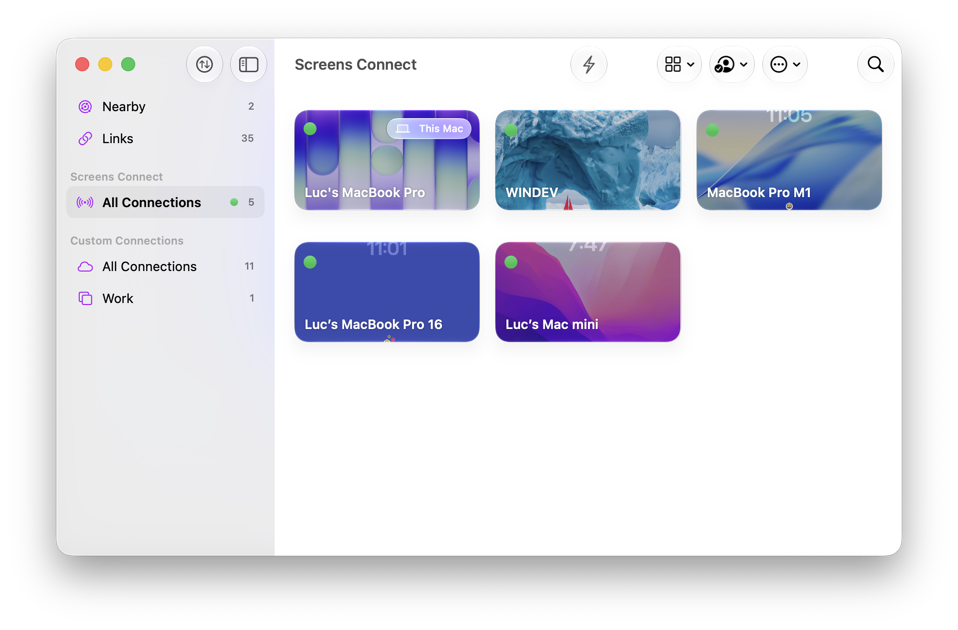
Getting Started
To make your Mac reachable remotely using the version built into Screens, follow the instructions in this article.
If your Mac runs macOS 13 or earlier, or if you prefer to use the standalone version, see the Screens Connect Getting Started Guide.
What's the Difference?
Both versions use the same Screens Connect account and provide the same remote access service.
| Feature | Screens 5.8.8 | Standalone Screens Connect |
|---|---|---|
| Supported by Both Versions | ||
| Remote Access | ✓ | ✓ |
| Secure Connections (SSH) | ✓ | ✓ |
| Screens Connect Account | ✓ | ✓ |
| Automatic Remote Access Setup | ✓ | ✓ |
| Wake-on-LAN | ✓ | ✓ |
| Differences | ||
| Minimum macOS Version | macOS 14 | macOS 10.13 |
| Built Into Screens | ✓ | — |
| No Additional Installation Required | ✓ | — |
| Runs in Background | — | ✓ |
| Available After Restart | Requires Login | ✓ |
| Works Before Login | — | ✓ |
| Custom Configuration | — | ✓ |
| Recommended For | Most users | Unattended Macs and advanced users |
Recommendation: For most users, we recommend the version built into Screens 5.8.8 or later. It requires no additional installation and provides the simplest setup experience.
When Should I Use the Standalone Version?
The standalone version may be preferable if:
- Your Mac runs macOS 13 or earlier.
- You need your Mac to remain reachable immediately after a restart.
- You need access before anyone signs in to the Mac.
- You require custom network configuration options.
- You prefer to keep Screens Connect running independently of Screens.