
Enable Local Network Access
If Local Network access is disabled, Screens won't be able to discover or connect to computers on your local network. This permission is required only on the device or Mac you're connecting from, not on the remote computer you're connecting to.
iPhone and iPad (iOS 14 or Later)
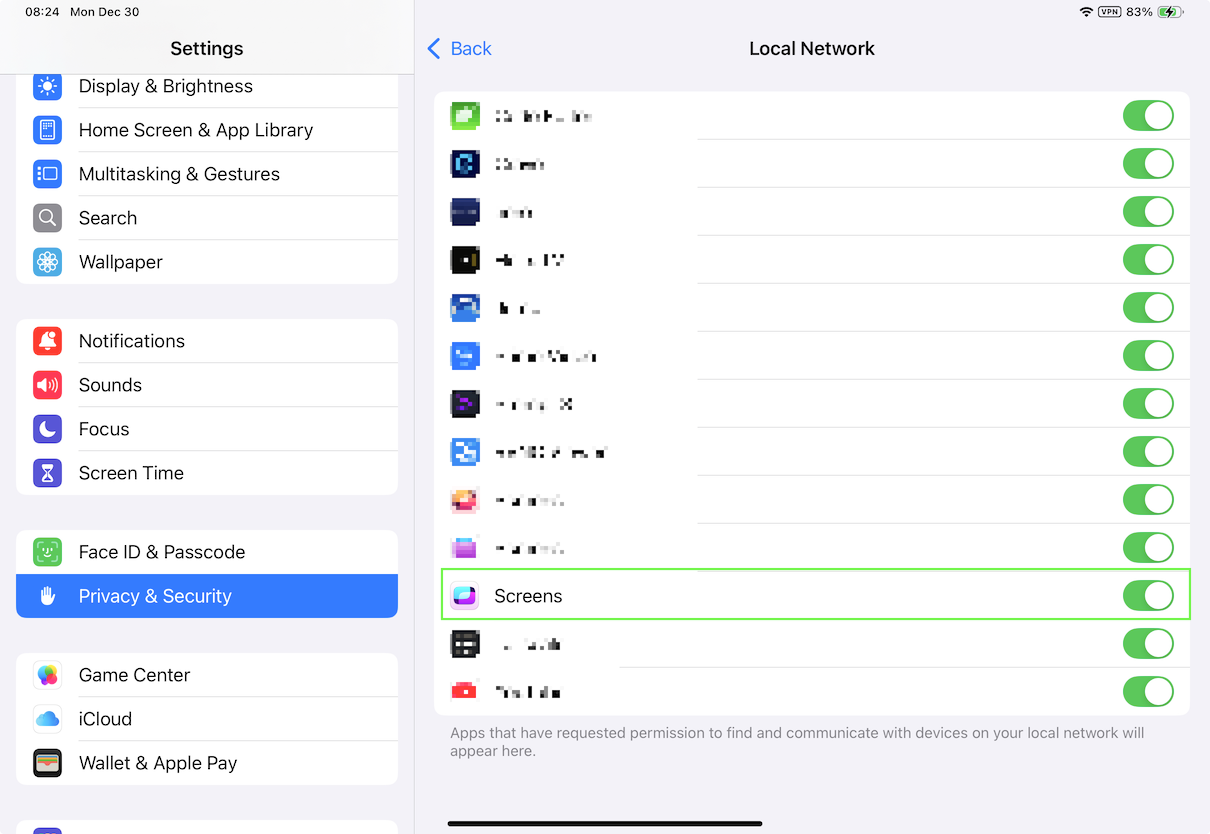
To allow Screens to discover and connect to computers on your local network:
- Open the Settings app.
- Go to Privacy & Security > Local Network.
- Make sure Screens is enabled.
Apple Vision Pro (visionOS)
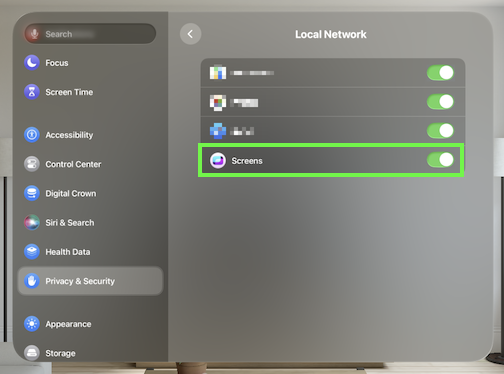
The same permission is required on Apple Vision Pro:
- Open the Settings app.
- Go to Privacy & Security > Local Network.
- Make sure Screens is enabled.
Mac (macOS 15 Sequoia or Later)
Starting with macOS 15 Sequoia, Apple requires apps to be granted permission before they can detect devices on your local network.
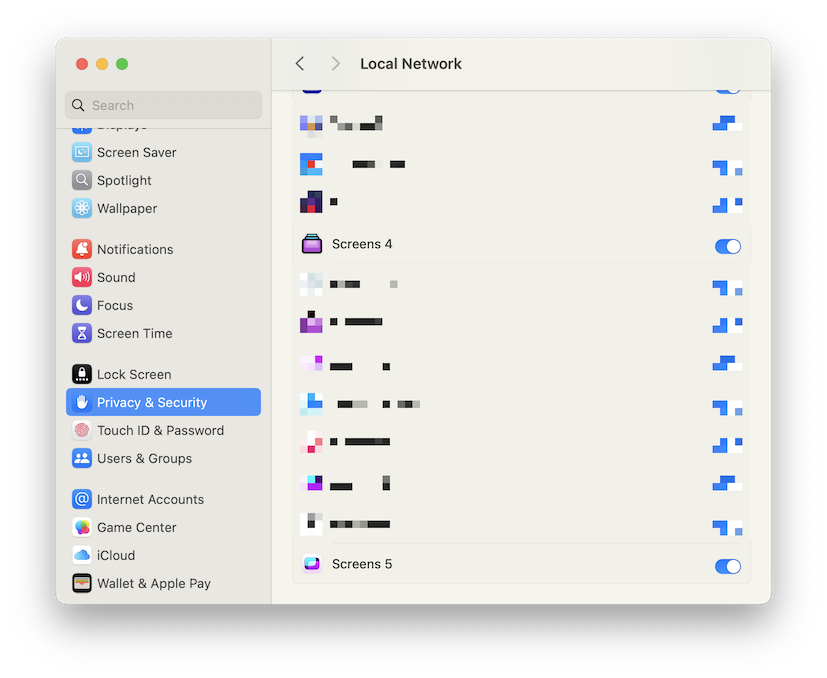
To allow Screens to discover and connect to nearby computers:
- Click here to open the System Settings app.
- Go to Privacy & Security > Local Network.
- Make sure Screens is enabled.
Important: This permission is only required on Macs where Screens is installed and used to initiate remote connections. It is not required on the Mac you're connecting to.